Disclosure: As an Amazon Associate, we earn from qualifying purchases. This helps support our work at no extra cost to you.
A few early errors cost hours. In this guide we look at what the Creality K2 Combo offers, who it suits and how to get the most from it.
Creality K2 Combo (A) 3D Printer with CFS — Multicolor Printing
Check the current price and full details on Amazon.

What Is the Creality K2 Combo?
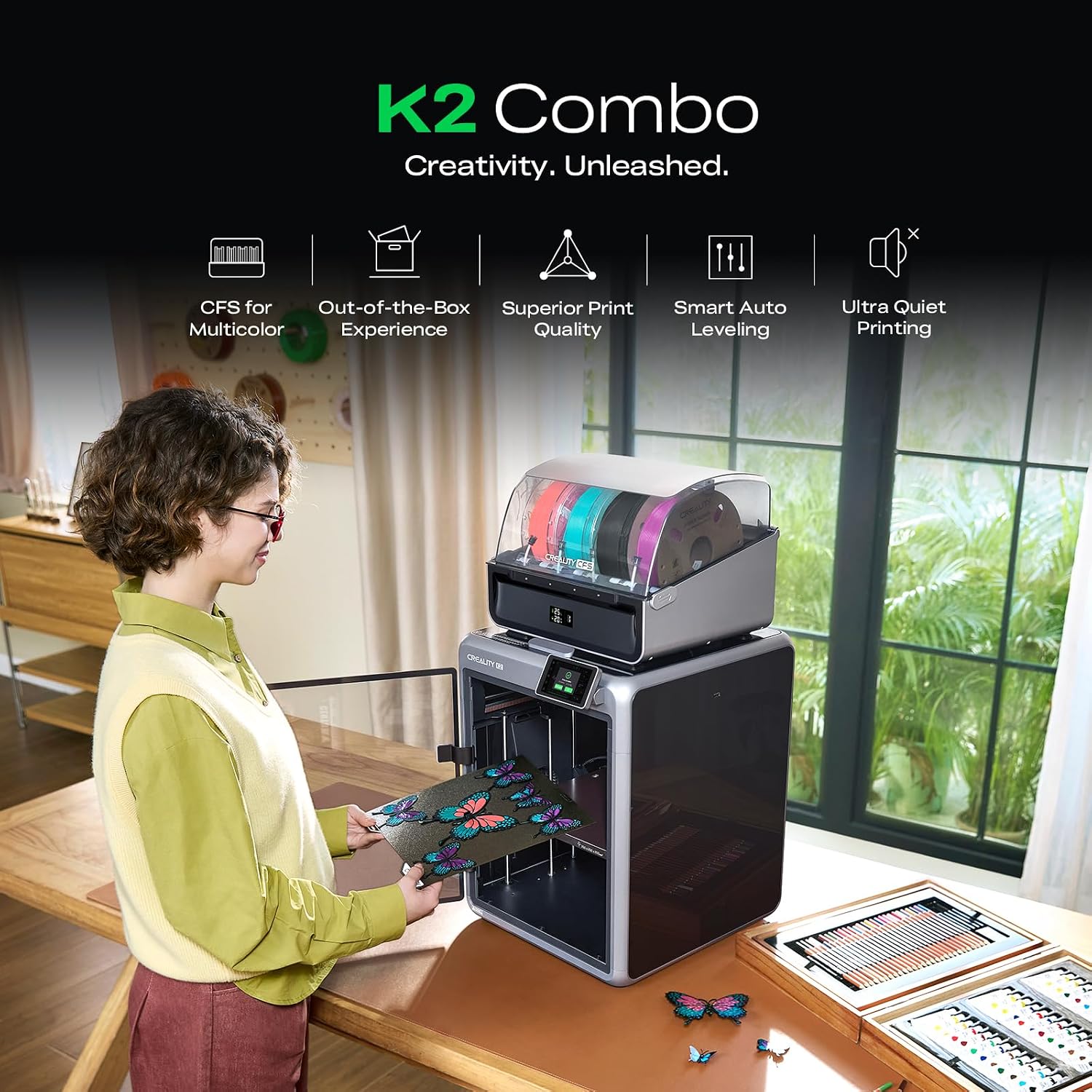
The Creality K2 Combo is a next-generation multicolor FDM 3D printer that pairs a fast, direct-drive core with Creality’s CFS filament system for vivid multi-material printing.
It arrives fully pre-assembled, so you can unbox it, run the guided calibration and start printing in a short session rather than spending a weekend building a machine.
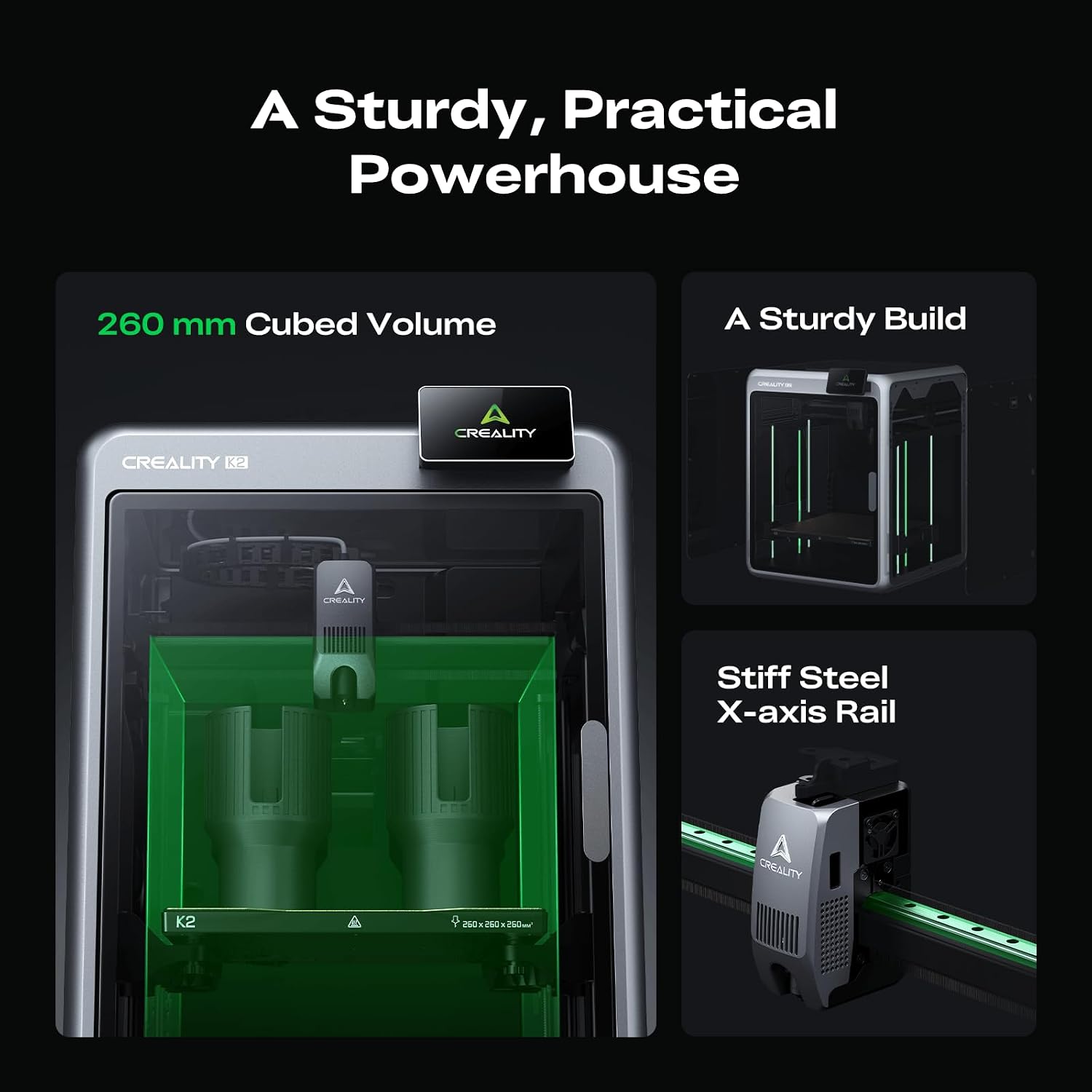
With a 260 x 260 x 260 mm build volume, a 600 mm/s top speed and a hardened steel nozzle rated to 300 °C, it is built for both everyday prints and more demanding materials.
This guide looks at what the K2 Combo actually offers, who it suits and how to get the most from it — so you can decide whether it is the right printer for your desk or workshop.
Key Specifications at a Glance
| Product | Creality K2 Combo (A) 3D Printer with CFS |
| Brand | Creality |
| Model | K2 Combo |
| Print technology | Fused Deposition Modeling (FDM) |
| Build volume | 260 x 260 x 260 mm |
| Print speed | Up to 600 mm/s |
| Acceleration | Up to 20,000 mm/s² |
| Extruder | Next-Gen Direct Drive |
| Hotend | 40 mm³/s high-flow hotend |
| Nozzle | Hardened steel nozzle, up to 300 °C |
| Frame | Aerospace-grade aluminum with steel X-axis rail and dual Z-axis |
| Multicolor system | One CFS unit included, expandable up to 4 units for 16 colors |
| Filament handling | RFID auto-identification, auto relay, moisture-proof airtight storage |
| Supported materials | PLA, ABS, PETG and engineering-grade filaments |
| Camera | AI chamber camera for failure detection, time-lapse and build plate monitoring |
| Air filtration | Built-in air purifier filters VOCs |
| Connectivity | Wi-Fi |
| Local storage | 8 GB |
| Leveling | Smart Auto Leveling with guided calibration |
| Setup | Fully pre-assembled, ready to print out of the box |
| Noise | Silent Mode with dynamically balanced fans |
| Product dimensions | 21 x 25 x 20 inches |
| Item weight | 55 pounds |
| Date first available | July 31, 2025 |
| Best sellers rank | #35 in 3D Printers |
Pre-Assembled and Ready to Print
The K2 Combo arrives fully pre-assembled, so the usual chore of bolting frames and aligning rails is already done for you.
Smart Auto Leveling and a guided calibration flow walk you through the first-run steps, making the machine approachable even if this is your first 3D printer.
Because the printer handles much of the initial tuning, beginners can focus on learning slicing basics and materials rather than fighting hardware alignment.
Experienced makers still get manual control where it matters, so the guided setup is a convenience rather than a limitation on what you can print.

Beginner-Friendly Features Explained
Pre-assembly, auto leveling and guided calibration make the K2 Combo unusually approachable for a machine with this level of capability.
New owners can start with PLA and simple models, learning slicing settings and bed adhesion before moving on to higher-temperature materials.
The enclosed design, air filtration and quieter operation make it less intimidating and more pleasant to keep in a lived-in space.
While any 3D printer has a learning curve, the K2 Combo removes many of the early mechanical frustrations that discourage newcomers.
Care and Maintenance Basics
Keep the build plate clean and free of residue, and check the nozzle periodically for buildup that can affect extrusion and first-layer adhesion.
Store filament dry — the CFS helps with this, but keeping spare spools sealed and using desiccant extends material life and improves print consistency.
After a failed print, clear the nozzle and check the plate before restarting; the AI camera can help you catch the problem early next time.
Routine firmware updates can add improvements and fixes, so it is worth checking for them as part of regular maintenance.
Creality K2 Combo (A) 3D Printer with CFS — Multicolor Printing
Check the current price and full details on Amazon.
Strengths and Trade-Offs
Pros: multicolor printing with an expandable CFS, fast 600 mm/s speeds, direct drive with a 300 °C hardened nozzle, smart auto leveling, AI camera, air filtration and quiet operation.
The 260 x 260 x 260 mm build volume is generous for a desktop machine, and the printer arrives fully assembled so setup is quick.
Considerations: the machine is large and heavy at 55 pounds, so plan a dedicated, stable surface for it before you buy.
As with any FDM printer, multicolor printing produces some purge waste, and advanced materials still call for careful settings and ventilation.
Frequently Asked Questions
Is the Creality K2 Combo fully assembled?
Yes. It arrives fully pre-assembled and is ready to print after guided calibration and setup.
Is it suitable for beginners?
Yes. Auto leveling, guided calibration, quiet operation and an enclosed design make it approachable for newcomers.
How much does it weigh?
55 pounds (product dimensions 21 x 25 x 20 inches).
Does it keep filament dry?
Yes. The CFS is airtight, works with desiccant and uses RFID to identify filament automatically.
Which filaments does it support?
PLA, ABS, PETG and engineering-grade filaments, thanks to a hardened steel nozzle rated up to 300 °C.
Final Verdict
Avoid them with this checklist. If you want fast, reliable multicolor 3D printing with an easy setup, the Creality K2 Combo is well worth considering. Check the current price below.
Creality K2 Combo (A) 3D Printer with CFS — Multicolor Printing
Check the current price and full details on Amazon.
Views: 0