As an Amazon Associate I earn from qualifying purchases. Links below are affiliate links, which means I may earn a commission at no extra cost to you.
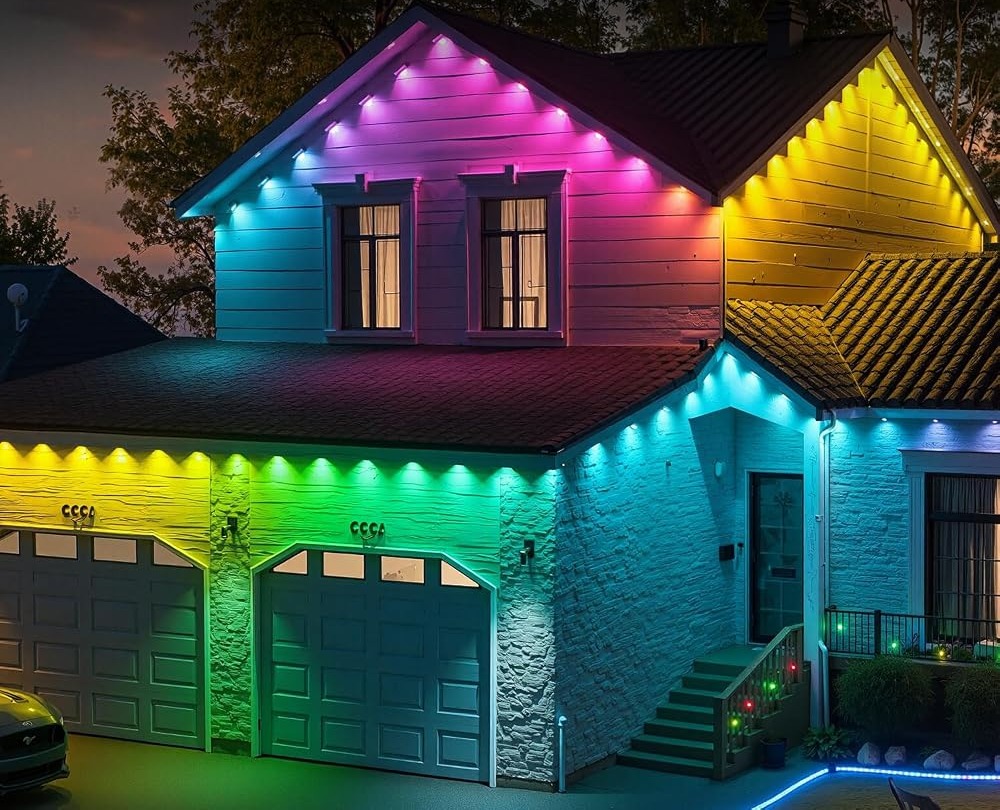
Fix flickering outdoor lights starts with narrowing down what is actually changing: the whole run, one section or only the color pattern you selected. A 100ft RGB+IC strip with 50 individually controlled LEDs can look like it is flickering when a fast chasing mode is simply doing its job. That is the honest first caveat. Beyond settings, the likely causes are a loose connection, a stressed bend or a control box that needs a fresh start. This guide orders those checks so you can fix the simple things before you contact the seller, and it stays within the facts the seller states for the set.

Quick answer
Fix flickering outdoor lights by checking the mode and speed first, then the power connection and any sharp bends, then the control box. A fast dynamic mode can mimic a fault on a 50-LED per-pixel run. The seller says support replies within 24 hours when contacted through your order. Check the current price on Amazon.
Fix Flickering Outdoor Lights: Where to Start
Set the run to a steady single tone before you diagnose anything. The LotusLamp X app offers 234 dynamic modes and 33 built-in scene modes, and several of them are designed to pulse, chase or change color rapidly. If the flicker disappears in a steady mode, the strip is working and the “fault” was a mode you had forgotten was active. Slow the speed down and see whether the effect becomes comfortable. If the pulsing continues in a plain tone, move to the power path: confirm the outlet is live, reseat the 24V adapter and make sure the low-voltage lead is fully engaged with the control box. A connection that is almost seated can make the whole 100ft line stutter. Only after those checks should you look at the strip itself.
The Usual Causes, Ranked
Work down this list in order. The top items are common and quick to fix; the bottom ones are rarer and worth a support message.
| Cause | Telltale sign | First action |
|---|---|---|
| Active dynamic mode | Pattern repeats evenly | Switch to a steady color |
| High speed setting | Flicker speeds up together | Lower speed in the app |
| Loose adapter | Whole run stutters | Reseat power connections |
| Control box glitch | Irregular, whole-run pulsing | Restart the box |
| Tight bend | One short patch misbehaves | Ease the mounting pressure |
| Dirty control box | Intermittent after rain | Dry and shelter the box |
The table is a shortcut, not a substitute for looking at the run. A pattern that repeats exactly is almost always a setting; an irregular stutter points to power or hardware. The seller states an operating range of -4°F to 140°F (-20°C to 60°C), so cold weather alone is not a reason to expect flicker. If the adapter sits in a spot that collects rain, dry it and move it somewhere sheltered before you test again; the box and adapter are described as rainproof, which is not the same as ignoring standing water.
Rule Out Settings Before Hardware
App settings cause more false alarms than broken LEDs. A built-in timer can switch modes at set hours, and a scene you chose days ago may still be running. Open the LotusLamp X app and check the active scene, brightness and speed, then try the included remote. If the remote gives you a steady tone, the phone setup is the variable, and a clean reset outdoor light app start is faster than hunting through saved scenes. The permanent outdoor lights FAQ groups the same questions about modes, timer and weather rating in one place if you want to confirm what the set supports. Resist the urge to take the run down while you are still testing settings; most flicker is resolved at this stage. Give each change a minute to take effect before moving to the next one, or you will never know which adjustment did the job.
When One Section Is the Culprit
A local problem looks different. If a short stretch of the 100ft run pulses while its neighbors stay steady, suspect the mounting rather than the electronics. A screw pressing on the strip, a fold in the self-adhesive backing or a knock during yard work can interrupt one part of a per-pixel line. Inspect that section closely and ease any pressure before calling it a fault. The guide to one section of lights out describes how to isolate the area and decide whether it is settings or hardware. Cleaning can also help if grime has built up on a lens, and cleaning permanent outdoor lights without damage explains what is safe on the anti-UV housing. A soft damp cloth is the limit; harsh products can dull the material. If the flicker survives all of that, contact the seller through your order for the stated 24-hour reply.
What to check before you buy
This set suits someone who enjoys tuning scenes in an app. Skip it if you want lights that simply hold one steady tone with no settings to manage.
- Confirm an outlet is near the run for the adapter.
- Shelter the control box from standing water.
- Treat IP67 as the seller’s stated rating only.
- Treat 50,000 hours as a listing estimate.
- Save order details for the stated 24-hour support reply.
FAQ
Can a chasing mode really look like a fault?
Yes. Per-pixel RGB+IC effects move color from LED to LED, and at high speed that reads as flicker from a distance. Set a steady tone to confirm the strip itself is fine.
Does cold weather make the lights flicker?
The listing states operation down to -4°F (-20°C). Within that range, weather alone should not cause flicker; check connections and settings first.
When should I ask the seller for help?
After the mode, connection and mounting checks. Contact them through your order and expect the stated 24-hour reply.
For the full 100ft RGB+IC listing and current details, check the current price on Amazon.
Views: 0