As an Amazon Associate I earn from qualifying purchases. Links below are affiliate links, which means I may earn a commission at no extra cost to you.
The LotusLamp X app is where a permanent eave-light set stops being a string of LEDs and becomes something you actually control. If you have just mounted a 100ft RGB+IC run with 50 individually controlled LEDs, the first few minutes in the app decide how usable the whole setup feels. This guide covers pairing, the controls you will touch most, and setting a schedule so the lights run on their own. I will also be honest about where the app is limited and why the included remote still earns a place. You do not need to master all 234 dynamic modes to get a good result.

Quick answer
The LotusLamp X app pairs with the control box, then gives you themes, custom color, brightness, speed, sequence, music sync and a built-in timer. Setup is a one-time step; everyday use is a few taps. Start from a built-in scene, tune it, then save it. Check the current price on Amazon.
Getting the LotusLamp X app set up
Pairing is the only part that feels technical, and it is worth finishing before the run is fully stuck to the eave. Download the app, power the control box from the 24V adapter, and follow the prompts to add the device. Keep the phone close to the control box during pairing. Once connected, confirm the lights respond to a simple on/off command before you climb down. That small test catches a wiring or pairing mistake while you can still reach the strip. The listing states a rainproof control box and adapter, but also says to shelter them from direct water, so plan that location first. Nothing in the product description calls for an extra hub; the app connects to the control box directly. If pairing will not complete, the seller says support answers within 24 hours through your order.
The everyday controls, explained
Once paired, the app presents a handful of controls. The table is the short version of what each one changes on a long eave run.
| Control | What it changes | When to use it |
|---|---|---|
| Themes | Preset looks across all 50 LEDs | A fast starting point |
| Custom color | Hue from up to 16 million colors | Matching trim or siding |
| Brightness | Output of the whole run | Lower for everyday evenings |
| Speed | How quickly effects move | Slower reads better from the street |
| Sequence | Order colors travel along the strip | A gentle sweep over fast cycling |
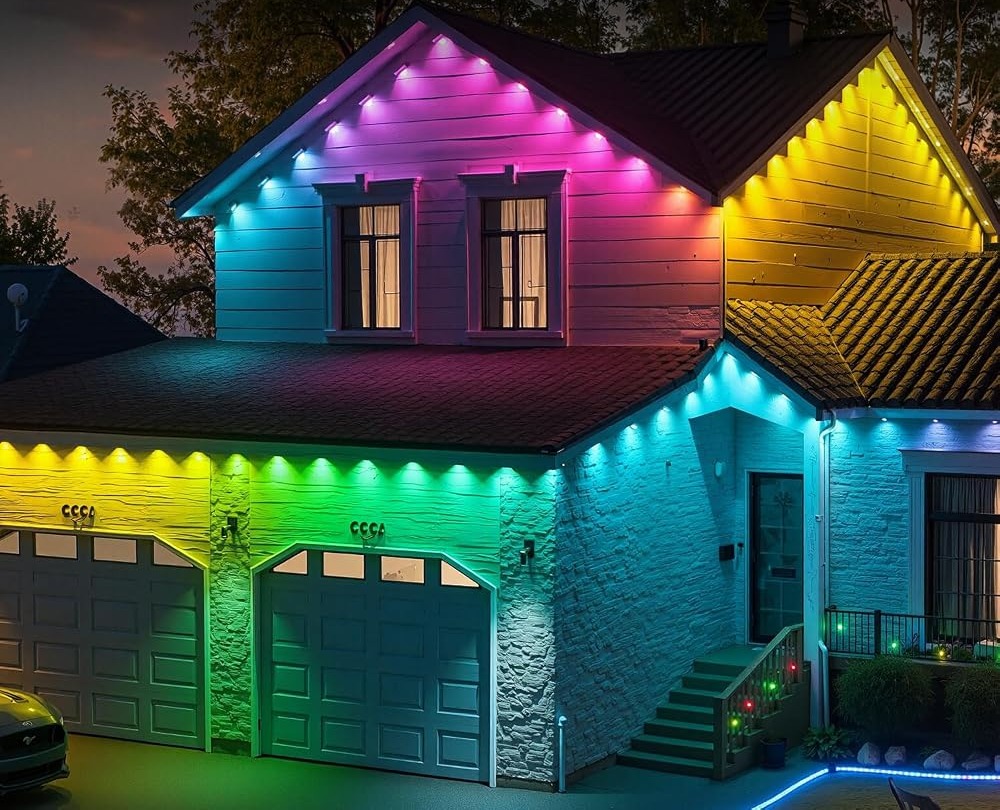
Two details matter more than the rest. Per-pixel control means a sequence travels along the eave rather than flashing every LED at once, which is the point of an RGB+IC set. And brightness is the control most people leave too high; on a light facade, dropping it a step makes colors look deliberate instead of harsh. What a good control app should do goes deeper on features that separate a useful app from a confusing one.
Scheduling and music sync
The built-in timer is the feature that changes how often you open the app. Set it once to bring the lights on near dusk and off at a fixed hour, and the display runs on its own. That matters on a permanent set: a run you must switch on by hand each evening is a run you will eventually leave dark. Weekday and weekend routines can differ, which is enough flexibility for most homes. To go further, build a light timer schedule for the full week with example on and off times.
Music sync is the other headline control. The app can make the lights respond to the beat, which is fun during a patio gathering and distracting on a quiet night. Treat it as an occasion setting, then switch back to a calm saved look when the evening ends. The 33 scene modes give you plenty of calm options.
When the phone is not handy
An app is convenient until the phone is upstairs, the battery is flat, or a guest wants the lights off quickly. The set includes a physical remote for exactly these moments. It handles basic on/off and common functions without opening the app, so everyday control is never fully dependent on a phone. That redundancy is a real advantage of this kind of set over app-only lighting. Why a physical remote still helps makes the case in more detail, including the guest scenario and a quick bedtime shutoff.
One honest limit: the app is the only place for detailed work. Fine color tuning, speed, sequence, the timer and music sync all live there. The remote is a fallback, not a full replacement. That is a fair split, but worth knowing before you rely on the app for every change.
What to check before you buy
This set suits someone who wants a permanent display and is comfortable making a few app adjustments. It is a weaker fit if you want full control with no phone at all.
- An outlet must sit near the control box and adapter.
- The rainproof box and adapter still need shelter from direct water.
- IP67 is the seller’s stated rating, not a promise for every condition.
- The up-to-50,000-hour life figure is a listing estimate.
- Confirm that both the app and remote are included in the listing.
FAQ
Do I need to pair every time I use the lights?
No. Pairing is a one-time step. Once the app recognizes the control box, everyday changes are a few taps. If the phone is reset, you may need to add the device again.
Can I change colors without the app?
Only at a basic level. The remote handles on/off and common functions, while color, brightness, speed, sequence and the timer are app features. Keep it handy for quick changes.
Does the timer work without the phone nearby?
Yes. The timer runs inside the lighting system on its own. You set it in the app once, then the phone is no longer needed for that routine.
A good setup is one you stop thinking about. Pair the app once, save a calm everyday look, and let the timer handle the hours. The LotusLamp X app has more controls than most people will use, but you only need a handful regularly. If you want detailed control with a simple remote fallback, see the 100ft set on Amazon.
Views: 0