As an Amazon Associate I earn from qualifying purchases. Links below are affiliate links, which means I may earn a commission at no extra cost to you.
Most holiday lighting is reactive: the date arrives, the box comes out, and the display goes up at the last minute. An occasion lighting schedule flips that. With one permanent 100ft RGB+IC run, you decide the palettes in advance, save each as a scene in the LotusLamp X app, and let the built-in timer switch them on at the right hours. The 50 per-pixel LEDs and 33 scene modes give you enough variety for a year of holidays without re-hanging anything. This guide covers how to map scenes to a calendar, set timers, and keep the plan from getting complicated.
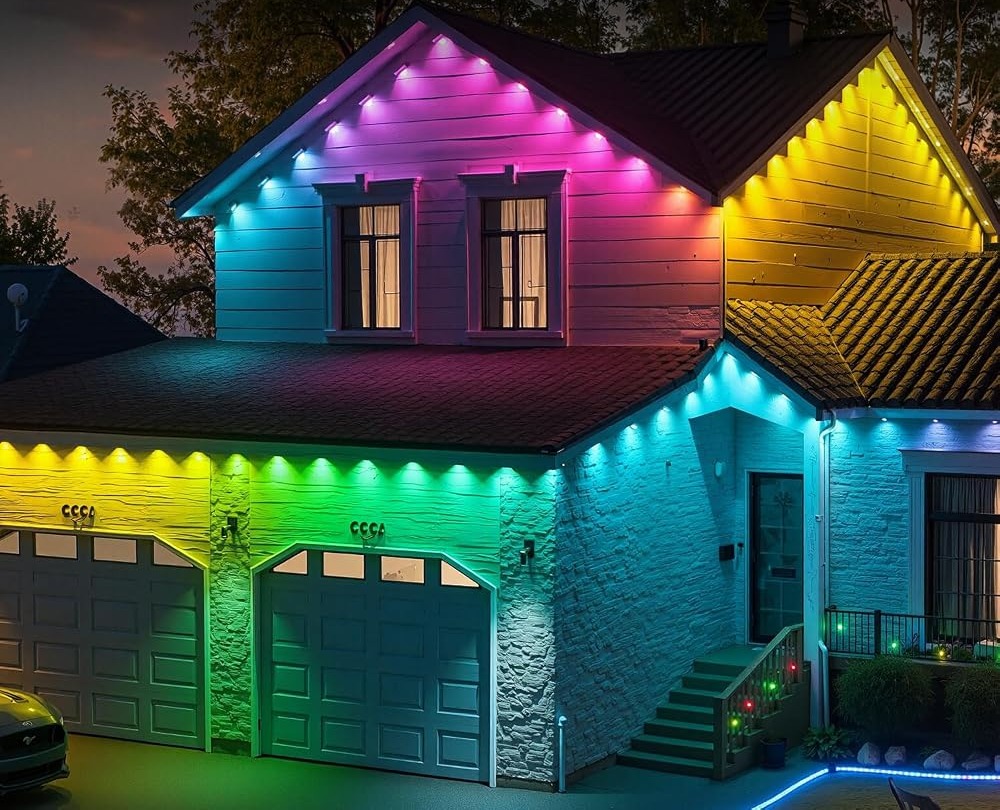
Quick answer
Save one scene per occasion in the app, then use the built-in timer to run each at the right time of year. A permanent 100ft run with 50 RGB+IC LEDs handles December red and green, an orange October scheme and a calm summer setting from the same mount. Keep a short list of favorites so you are not hunting through 234 modes. Check the current price on Amazon.
Occasion lighting schedule for the whole year
An occasion lighting schedule starts with a simple inventory of the dates you actually celebrate. List them, assign one palette to each, and decide when the lights should come on and go off. The goal is not to use every mode the set offers; it is to make the handful you care about easy to recall. Write the list down once and it becomes the backbone of the whole year.
The set stores 33 built-in scene modes and 234 dynamic styles, but a workable year needs perhaps six saved looks. Group them by season: red and green for December, orange and purple for October, warm amber for a fall dinner, cool blue for winter, red-white-and-blue for July, and a bright multi-color scene for parties. The Christmas outdoor lights that change each December guide shows how the core holiday scene is built; the rest follow the same pattern.
Map palettes to the calendar
Once the list exists, map each date to a palette and a timer window. The LotusLamp X app controls color, brightness, speed and sequence, so a scene can be as specific as you like.
| Occasion | Palette | Timer window |
|---|---|---|
| December | Red and green, moderate | Dusk to late evening |
| October | Orange with purple accent | Dusk to bedtime |
| Fall dinner | Warm amber and white | Around the meal |
| July | Red, white and blue | Dusk to late evening |
| Party nights | Bright multi-color | Event hours |
Because each of the 50 LEDs is individually controlled, a palette can hold steady or flow. Steady schemes suit a long run seen from the street. For the full set of seasonal palettes, the holiday light color guide is a useful companion.
Automate without overcomplicating
The built-in timer is what turns a list of scenes into a real schedule. Set the run to come on near dusk and switch off at a fixed hour, then adjust the brightness for the season. Short winter days want a lower level than a summer party.
A common mistake is scheduling every night of the year at full output. The result is glare and a display that stops feeling special. Give ordinary evenings a calm single color and reserve the vivid scenes for the dates that matter. That way each holiday still feels like an event. An orange-and-purple October scheme, described in the Halloween outdoor lights in orange and purple guide, is a good example of a look that should not run all month at maximum brightness.

Keep the mount simple; change only the scene
The point of a yearly plan is that the hardware disappears from the routine. Fix the 100ft strip once, using adhesive or screws, keep the rainproof control box under cover, and plan the cable to the outlet. After that, every change is a few taps in the app or a press of the included remote.
The seller rates the strip IP67 and the box and adapter rainproof, with a -4°F to 140°F operating range, so the mount is intended for all seasons; treat that as a seller-stated rating for normal exposure. The listing estimates up to 50,000 hours of life. For the broader decisions on length and power, see the complete buying guide to permanent outdoor lights.
What to check before you buy
An occasion lighting schedule suits a homeowner who celebrates several dates and wants the display ready in advance. It is less useful if you rent, if no outlet sits near the eaves, or if you only light up once a year.
- List the occasions you actually observe before saving scenes.
- Measure the run and confirm an outlet is within reach.
- Keep the control box sheltered and clear of foot traffic.
- Set one dusk-to-bedtime timer and adjust it by season.
- Treat IP67 as seller-stated and 50,000 hours as an estimate.
FAQ
How many scenes should I save?
Six is plenty for most homes: one per season plus a party look and a calm everyday tone. The set supports far more, but a short list is easier to manage. You can always add a scene for an unexpected occasion.
Can the timer change scenes by date?
The built-in timer automates on and off times, and you choose which scene is active in the app. Think of it as a weekly or seasonal routine rather than a fully automated calendar, and make a note to switch palettes on the day.
Do I still need the remote?
Yes, it is useful for quick on and off when your phone is not handy. Keep it with the control box so guests or family can use it without opening the app. It is also a backup if the app connection drops.
An occasion lighting schedule turns a permanent 100ft RGB+IC run into a year-round display with very little fuss. Save a handful of scenes, set the timer, and change the palette as the calendar turns. If the layout and a nearby outlet suit your home, see the current listing on Amazon.
Views: 0