Ollama on the reComputer Mini J5012: A Practical Guide
Choosing the right edge AI computer can make or break a robotics or vision project. The Ollama reComputer J5012 has quickly become a favorite among engineers who need serious compute without a serious footprint. This article explores its capabilities, ideal use cases and the practical reasons it delivers strong value.
Quick Specifications
| Specification | Detail |
|---|---|
| AI Module | NVIDIA Jetson AGX Orin 64GB |
| AI Performance | Up to 275 TOPS |
| GPU / CPU | 2048 CUDA cores + 64 Tensor cores / 12x A78 2.2 GHz |
| Memory | 64GB 256-bit LPDDR5 (204.8 GB/s) |
| Storage | 64GB eMMC + 128GB NVMe SSD (M.2 Key M) |
| Cameras | Up to 8x GMSL2 (GMSL model) |
| Networking | 1x 10GbE + 1x GbE, M.2 Key E for Wi-Fi/BT |
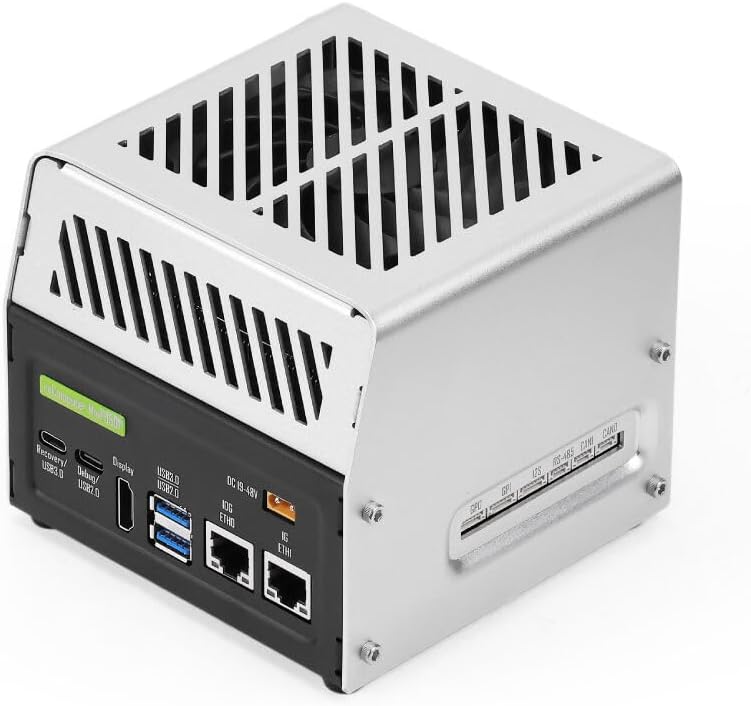
| I/O | 2x USB 3.2 Type-A, USB 2.0 Type-C, 10GbE, 1GbE, 2x CAN, RS-485, 4x GPI, 4x GPO, I2S, HDMI 2.1 |
| Power | XT30, 19–48V DC (max 54V), 15W/60W modes |
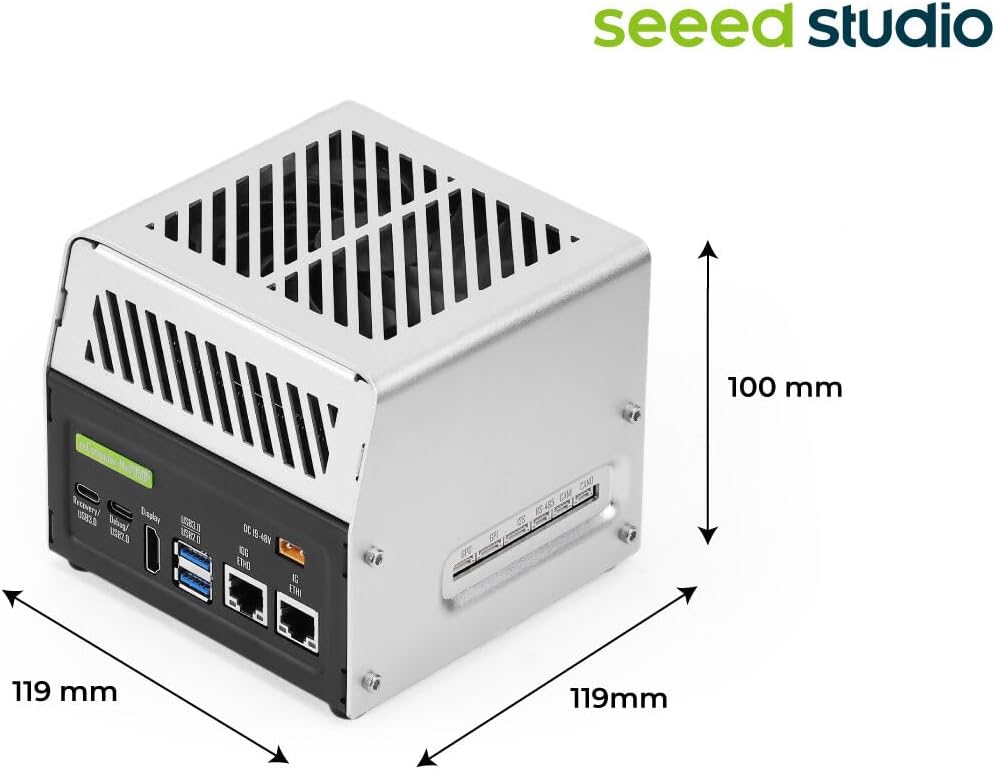
| Dimensions / Weight | 119 x 119 x 100 mm / ~1315 g |
| Software | JetPack 6.2 pre-installed (supports JetPack 7.2) |
| Warranty | 2 Years |
The figures above are not just marketing numbers. In day-to-day use, the combination of GPU muscle, generous memory and fast storage is what allows the J5012 to hold multiple inference pipelines open at once without breaking a sweat.
Tips for a Smooth Workflow
Use the M.2 NVMe SSD for model weights and datasets, monitor temperatures during long inference runs and choose a power mode that matches your thermal envelope. Small habits like these keep a compact system stable under continuous load.
Start with a Clean Foundation
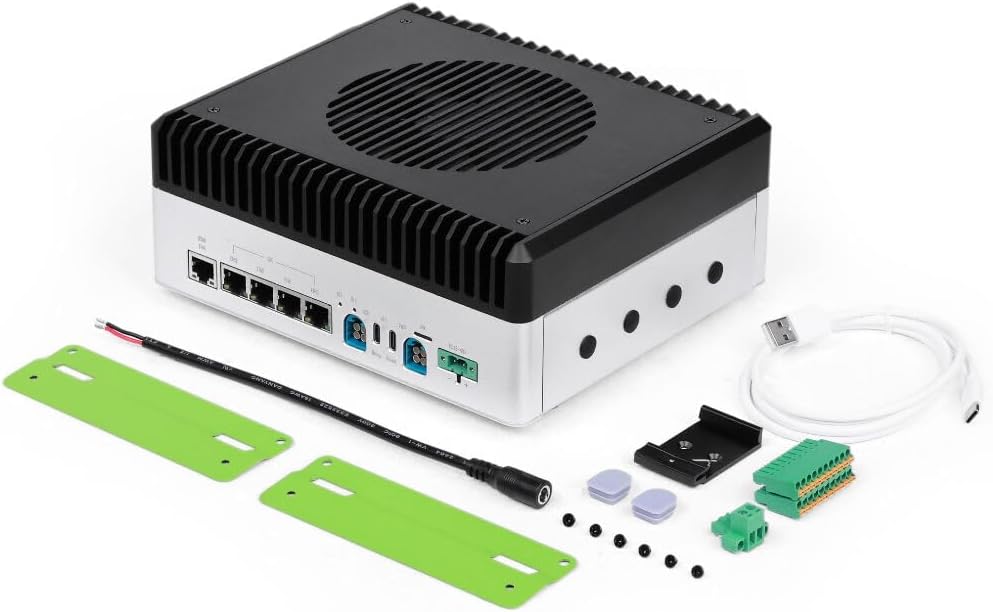
The reComputer Mini J5012 arrives with JetPack 6.2 pre-installed, so you can boot straight into a working Linux environment. Before you begin development, connect the included XT30 power cable, attach a display via HDMI 2.1 and complete the first-boot setup. Seeed’s documentation walks through each step.
Flashing and Recovery Made Simple
If you ever need to reflash, the USB 3.0 Type-C recovery port and dedicated recovery button give you a reliable path to restore the system. The USB 2.0 Type-C debug port provides serial access for troubleshooting, which is invaluable when bringing up a new board headlessly.
Getting Cameras Connected
For vision projects, the GMSL variant exposes 8x GMSL2 inputs. Connect your cameras with the appropriate coaxial cables, verify enumeration in the system and then use the reference drivers in reComputer AI Lab to start capturing frames. One-line deployment examples make it easy to test a detector on live video.
Where It Fits Best
The reComputer Mini J5012 is a natural fit for a wide range of edge intelligence projects:
- Warehouse automation, including picking, sorting and inventory analytics.
- Field robotics in agriculture and logistics that must operate without a network connection.
- Industrial vision inspection and quality control directly on the production line.
Key Benefits at a Glance
- Ultra-compact 119 x 119 x 100 mm footprint
- 64 GB LPDDR5 plus 128 GB NVMe SSD included
- Wide 19–48 V DC input (max 54 V)
- 8x GMSL2 camera support on the GMSL model
- Up to 275 TOPS AI performance from Jetson AGX Orin 64 GB
Build Quality and Reliability
The aluminum enclosure is both rigid and lightweight, with a vented top panel that supports effective airflow. Screw-mounted panels and a dedicated 4-pin PWM fan connector mean the platform is designed for continuous operation, not just bench testing—an important consideration for any production deployment.
Planning Your Purchase
Before you order, think about which variant matches your project: the standard model or the GMSL version with multi-camera support. Consider whether you need additional cables or cameras, and confirm the power supply matches the 19–48 V input range. A few minutes of planning up front will save time during integration.
The Bottom Line on Value
When you add up the GPU performance, 64 GB of memory, included NVMe storage, industrial I/O and the compact enclosure, the reComputer Mini J5012 delivers convincing value. It is a purpose-built tool for developers who need real AI capability in a constrained footprint, without paying for features they will never use.
Frequently Asked Questions
How does it compare with the J5011?
The J5012 uses the 64 GB AGX Orin module with 275 TOPS versus 32 GB and 200 TOPS on the J5011. Both share the same compact chassis and I/O.
Is it suitable for humanoid robots?
Absolutely. Its 119 x 119 mm footprint, wide voltage input and robotics I/O were chosen with compact humanoid and mobile robot designs in mind.
Does it come with storage?
Yes. It includes 64 GB eMMC and a 128 GB NVMe SSD installed in the M.2 Key M slot, with an additional M.2 Key E slot for Wi-Fi/Bluetooth.
Which JetPack version does it use?
It comes with JetPack 6.2 pre-installed and supports upgrading to JetPack 7.2, keeping your software stack current.
Final Thoughts
Compact, powerful and thoughtfully engineered, the reComputer Mini J5012 is a platform that grows with your ideas. Whether you are prototyping or deploying, it is built to handle the workload. If you are ready to bring serious AI to a compact project, take a look at current availability and pricing below.
Ready to Build with the reComputer Mini J5012?
Get the Seeed reComputer Mini J5012 with NVIDIA Jetson AGX Orin 64GB, 275 TOPS and a compact 119mm footprint. Check the latest price and availability on Amazon today.
Views: 0