As an Amazon Associate I earn from qualifying purchases. Links below are affiliate links, which means I may earn a commission at no extra cost to you.
App controlled christmas lights turn the holiday routine from a trip outside into a change of mind. With a permanent 100ft RGB+IC eave set already mounted, the 50 individually controlled LEDs can shift from a dinner-time display to a quieter bedtime look without anyone stepping into the cold. That is the real advantage over a set you must reach physically. This guide covers the controls that matter in December, how brightness and speed shape the mood, and where a holiday display can go wrong. I will also note the honest limits of running a festive scheme all season.

Quick answer
Use the app to pick a holiday color or scene, set brightness low for dinner, then switch to a calm preset at bedtime, all from inside. The built-in timer can handle the hours between. Start from one of the 33 scene modes and tune it. Check the current price on Amazon.
What app controlled christmas lights let you do
The useful part is changing the display without changing your plans. Guests arrive and you want a warmer, slower look; the meal ends and you want the eave dimmed; bedtime comes and you want it off. Each of those is a few taps in the app rather than a walk around the house. Per-pixel control means a two-color scheme can move along the eave, so a red and green pattern reads as flowing rather than flashing every LED together.
The 33 scene modes give you a starting point, and the 234 dynamic modes go further if you enjoy tuning. Most households need only two looks: one for the early evening and one for late. Save both. A small warning: it is easy to keep tweaking a holiday display when changing it costs nothing. Decide on two or three looks before the season starts and resist adding more once guests arrive. A new pairing still requires the app; the LotusLamp X app setup guide covers that first session if you are starting fresh. Once it is done, the holiday changes are quick.
Brightness and speed for the evening
Two controls do most of the work during a holiday gathering. Brightness decides whether the display welcomes people or overwhelms the front of the house. Speed decides whether the effect feels festive or frantic. The brightness control guide explains the tuning in more depth, but the short version is to start lower than you think and slow the movement down.
| Moment | Brightness | Speed | Look |
|---|---|---|---|
| Dinner | Low to medium | Slow | Warm or two-tone |
| Guests arriving | Medium | Slow to medium | A gentle scene |
| Late evening | Low | Slow or still | One calm color |
| Overnight | Off via timer | Not relevant | None |
Notice that fast effects barely appear in this plan. They are fun for a short spell and tiring across an entire evening. Treat them as a brief manual change, then return to a saved preset. The same low-and-slow approach works on a street-facing eave, where a subdued display looks considered and a bright one can draw complaints from close neighbors.
Keeping the holiday display from taking over
A permanent set means the lights stay up after December, so it pays to choose a scheme you can tone down rather than remove. Warm white with a single accent reads as winter rather than strictly Christmas, which carries the display into January without looking dated. Use the built-in timer to cut the lights at a fixed hour so a busy facade is not burning all night. The smart light automation guide shows how a few simple routines cover a whole season.
Another habit worth forming: save a non-holiday everyday look now. When the season ends, you switch back to that saved setting in seconds instead of facing an empty app and starting over. Store the holiday look as its own saved setting too, so the following December is a single switch back rather than a rebuild of the whole palette.
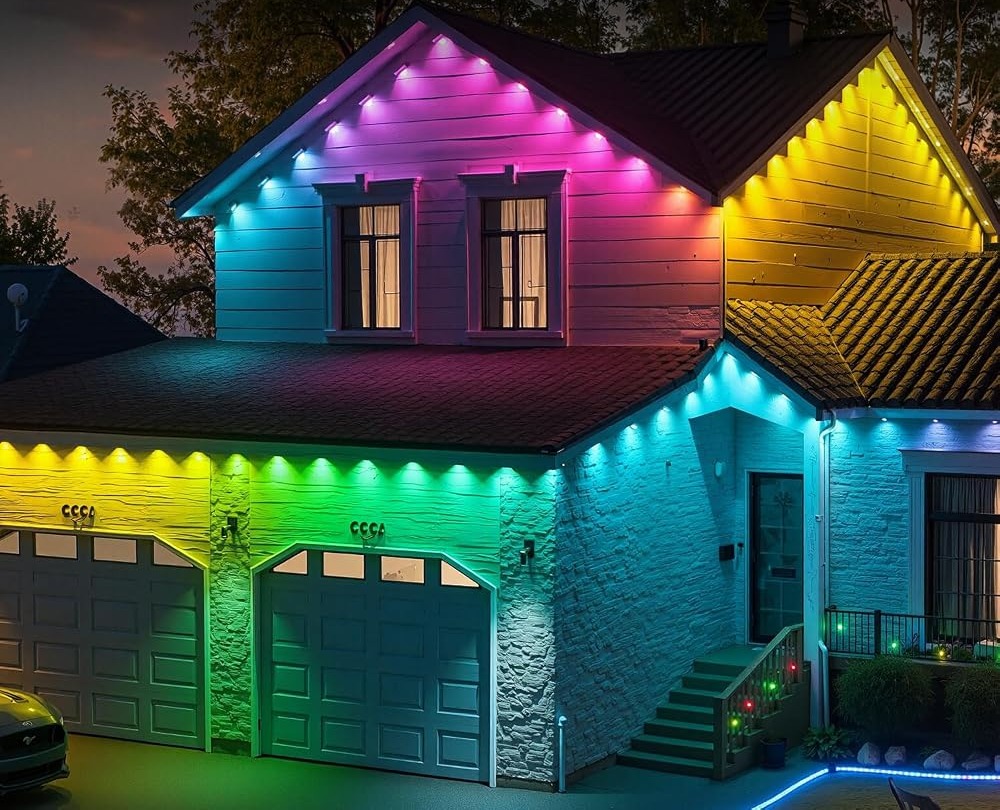
Changing the display from your phone
The phone is the control center for these changes. If you are still getting used to pairing or daily control, the quick guide to controlling lights from your phone covers the first steps and what to do if the connection drops. Keep the phone nearby when you set the holiday schedule, then let the timer take over. For the moments when the phone is not handy, the included remote still handles on/off, so you can end the evening quickly.
What to check before you buy
App-controlled holiday lighting suits a household that wants one permanent display reused each year. It is a weaker fit if you prefer a short seasonal setup you take down and store.
- Confirm the app offers custom color, brightness, speed and scene modes.
- Check that a built-in timer is available for overnight cutoff.
- Make sure a physical remote is included for quick shutoff.
- Plan a sheltered spot for the rainproof control box and adapter.
- Treat IP67 as the seller’s stated rating, not a promise for every condition.
- Read the up-to-50,000-hour life figure as a listing estimate.
FAQ
Can I change the display from indoors?
Yes. Color, brightness, speed, scene and the timer are all app controls, so nothing requires going outside once the set is mounted.
Will a holiday scheme look good all season?
A restrained one will. Warm tones with a single accent carry through January, while a bright multi-color chase starts to feel out of place after the holiday.
What if the app is slow one evening?
The remote still handles on/off. Give the app another attempt with the phone close to the control box, then fall back to the saved setting.
The best holiday display is one you can adjust without planning around it. Save a dinner look and a bedtime look, set the timer, and let the app handle the rest. If that is the kind of flexibility you want from a permanent eave set, view the RGB+IC lights on Amazon.
Views: 0