As an Amazon Associate I earn from qualifying purchases. Links below are affiliate links, which means I may earn a commission at no extra cost to you.
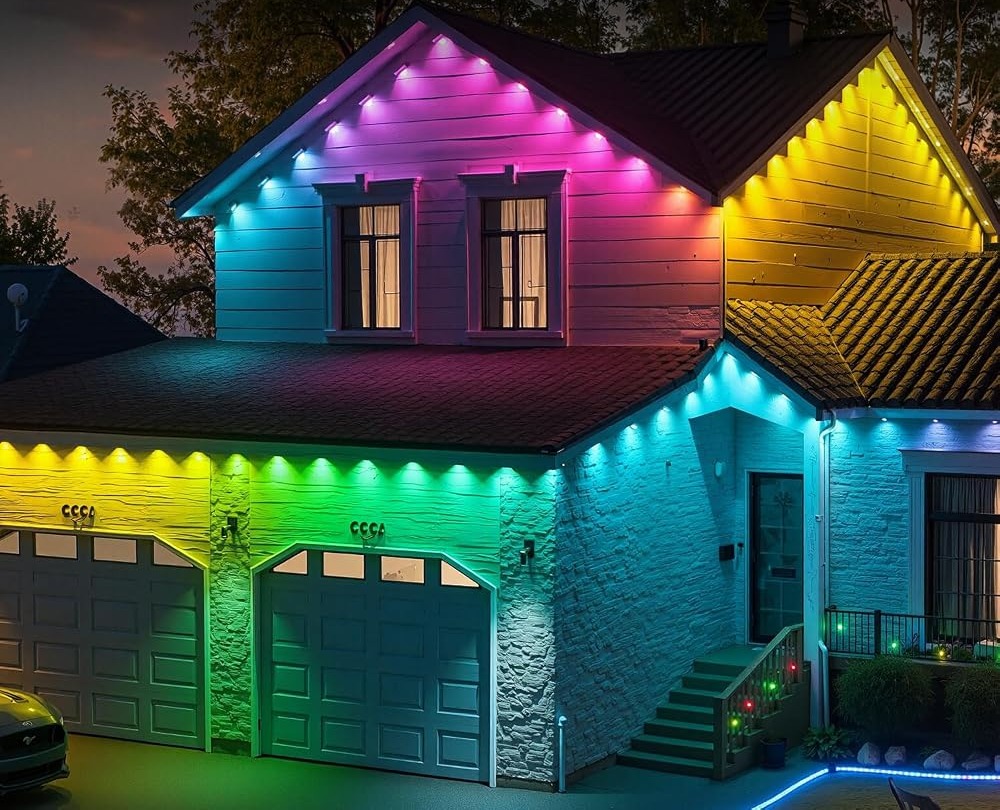
Music sync app setup turns a permanent eave display into something that reacts to a gathering. On this 100ft RGB+IC run, the app can make the 50 individually controlled LEDs respond to the beat, so the roofline pulses along with music from a patio speaker. Getting there takes a short setup and a few sensible choices about placement and volume. This guide walks through the process, explains where beat-reactive lighting works and where it becomes a distraction, and offers honest limits for outdoor use. If you only want a calm facade, you can skip this feature and still use everything else on the set.

Quick answer
Pair the app, open the music sync control, and let the lights respond to audio from the phone or a nearby player. Use it for a short event, then switch back to a saved calm look. Keep the volume reasonable and the display modest. Check the current price on Amazon.
Music sync app setup, step by step
Music sync depends on a working app connection, so do the pairing first and on a calm afternoon rather than during a party.
- Pair the app with the control box while the phone is nearby.
- Confirm basic on/off and a color change work.
- Open the music sync control in the app.
- Start a track and watch how the run reacts to the beat.
- Adjust brightness and mode until the response suits the space.
The fifth step is where most of the judgment lives. A lively mode at high brightness can dominate a small patio, while a gentler setting adds atmosphere without taking over. If any of the earlier steps fail, the LotusLamp X app guide covers pairing and the main controls in more detail. Do not try to learn the app while guests are waiting.
Placement and volume for a patio gathering
Where the lights sit changes how music sync feels. An eave run above a patio reads well because people see it while facing the house. A long run wrapping the front of the property is more visible from the street, so a reactive display there draws outside attention. The permanent outdoor lights buying guide covers run placement and coverage if you are still deciding where to mount the set.
A few practical notes make the first attempt smoother:
- Keep the playing device reasonably close so the lights track the beat.
- Start at a moderate volume; very loud music is not required for a visible response.
- Choose a gentler mode for conversation-heavy gatherings.
- Save the normal look first, so returning to it takes one tap.
- Use the timer to end the display at a sensible hour.
One honest drawback: a beat-reactive roofline is not subtle. It suits a celebration and not a quiet dinner, so treat it as a temporary setting rather than the everyday look.
Where beat-reactive lighting works and where it does not
Music sync is at its best when there is a reason for it. A birthday, a summer gathering or a holiday party gives the effect context, and people expect the lights to be lively. The broader question of what a capable control app should offer is covered in the outdoor light control app guide, which puts music sync in perspective alongside color, brightness and scheduling.
It works less well as a default. A roofline that pulses every evening becomes tiring for the household and noticeable to neighbors. It also competes with conversation: in a small patio, a fast reactive pattern draws the eye away from people. If you find yourself reaching for it often, consider saving two versions, a lively one for events and a slow one for everything else, and keep the slow one as the default.
If the sync misbehaves
Most music sync problems are small. If the lights do not react, check that the app has permission to use audio and that the playing device is close enough. If the response feels out of step, switch to a simpler mode and lower the brightness; busy patterns are harder to read as a beat. Confirm that basic color and on/off still work, since a general connection problem is more likely than a fault with this one feature. The app troubleshooting guide covers pairing failures and unresponsive controls in full.
While you sort it out, the included remote still handles on/off, so the evening does not depend on the app cooperating.
What to check before you buy
Music sync suits a buyer who hosts gatherings and enjoys tuning a display. It is a weaker fit if you want a quiet, fixed facade and will never use it.
- Confirm the app lists music sync as a feature.
- Check that brightness and mode can be adjusted alongside it.
- Look for a built-in timer to end the effect at a fixed hour.
- Make sure a physical remote is included for quick shutoff.
- Plan a sheltered spot for the rainproof control box and adapter.
- Treat IP67 as the seller’s stated rating, not a promise for heavy weather.
FAQ
Does music sync need the phone nearby?
The app runs the feature, so keep the phone or the playing device close enough for the lights to follow the beat reliably. Once set, the timer can still end the display on its own.
Can I use music sync every day?
You can, but most people prefer it as an occasional setting. A reactive roofline loses its impact when it runs nightly and can become distracting.
What if the beat response looks wrong?
Lower the brightness and pick a simpler mode. Busy patterns and high output make the response harder to read; a calmer setting usually fixes it.
Music sync is a fun option when it has a purpose. Set it up once on a quiet afternoon, save your normal look, and return to it after the guests leave. If that flexibility appeals on a 100ft RGB+IC eave set, see the lights on Amazon.
Views: 0